How to add regions as area markers
There are a few ways to add regions as area markers in Datawrapper locator maps:
- You can simply select them in step 1: Add markers > Area. This article explains how to do so.
- You can add them in step 2: Design map > Map extras > Highlight a region. Learn more here.
- You can import them as a GeoJSON or KML. Learn more here.
Let's focus on the easiest way: To simply select them in step 1. As you can see in the video above, you can add lots of regions on different administrative levels – like countries, states, counties, or city districts.
This lets you build maps like this one without the need to handle GeoJSONs:
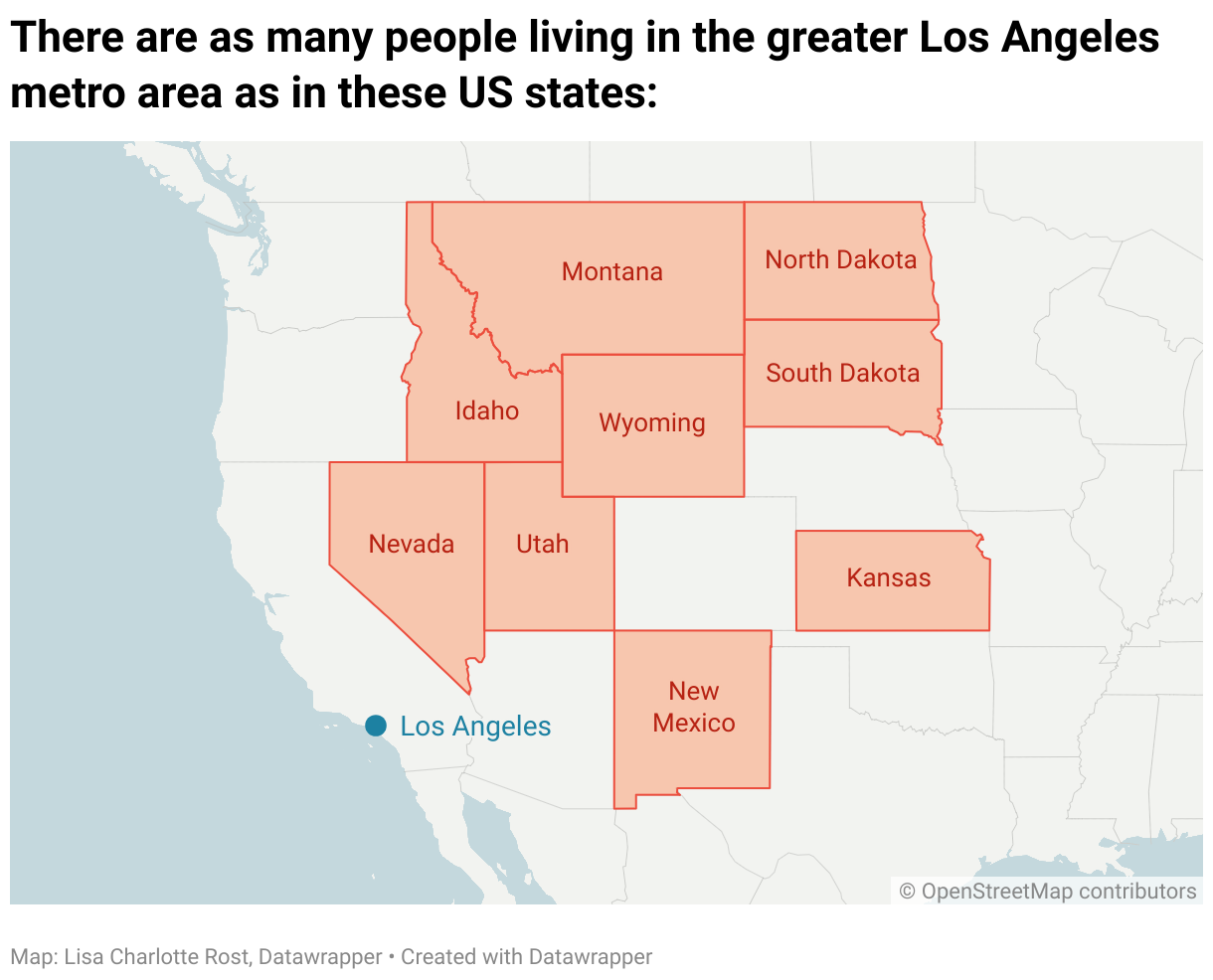
Here's a detailed explanation how to add regions as area markers:
How to add regions in step 1
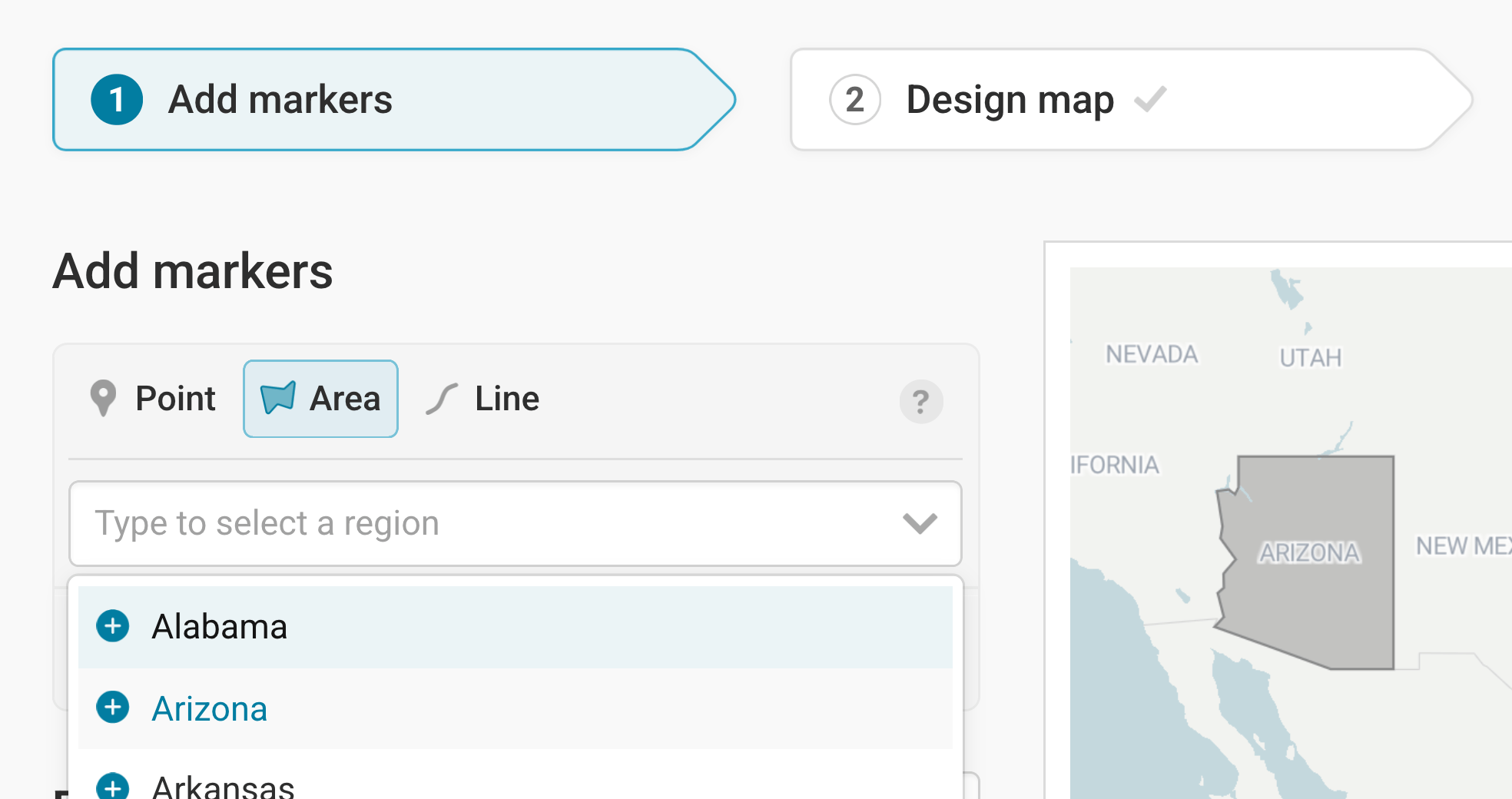
In step 1: Add markers, click on Area in the first panel, right below Add markers. Now click on Type to select a region. A dropwdown will open with some regions that you can see in your viewport. Select one from the list by clicking on it, or type out the name of an area within the viewport of your map
Before using this feature, you might want to zoom in: On the world map, you’ll only be able to select countries. Once you zoom to a country, you’ll see counties, federal states, and eventually city districts in the list of regions.
Before you commit, we show you a preview of the region you hover over in the region list. That’s especially useful if you’re designing a map about a part of the world you don’t know well.
Once you selected a region with a mouse click, it will appear in the marker list. Here you can adjust it like any other area marker: change the fill color/opacity, stroke color/opacity, add a vignette or tooltip, etc.:
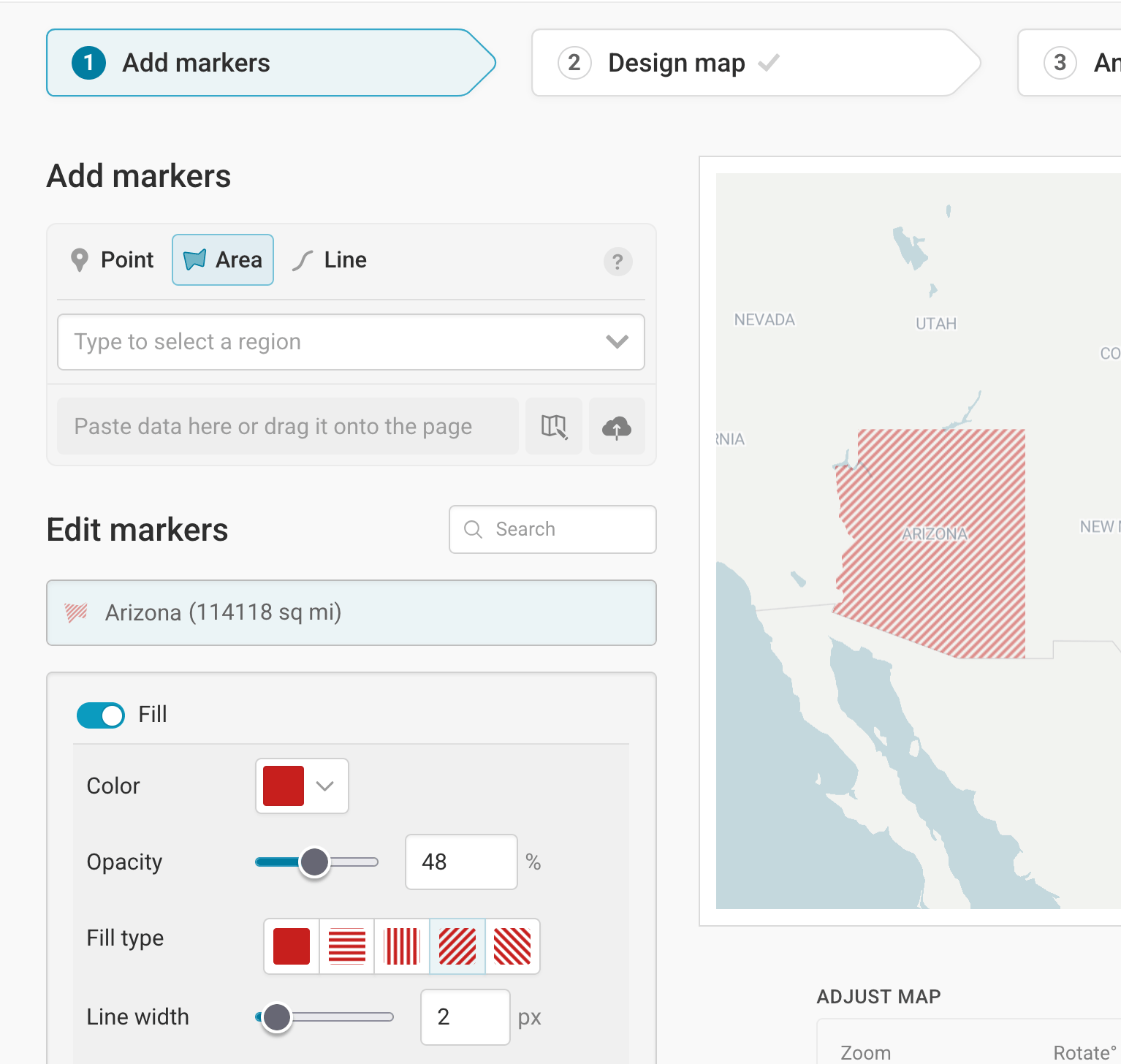
Markers added with Highlight a region in step 2: Design map work as all area markers do. Since we expect that you want your new area markers to not get in the way of rivers, mountains, labels, etc., they come with the setting “Display below map features” turned on. But, you can always toggle that off in step 1: Add markers if needed:
Frequently Asked Questions
Is there a limit to the regions I can add?
There is: You can add regions through our feature and/or import GeoJSONs to your locator maps as long as they don’t sum up to 2MB in total. With this limit, you can add lots of regions (we simplified them nicely) and your maps will load fast once you embed them.