Examples of Datawrapper split bar charts
Here we showcase examples of split bar charts that have been created with Datawrapper.
To learn how to create one yourself from scratch, visit our article How to create a split bar chart.
If you want to find out how a certain chart was created, hover over the chart and click on "Edit this chart" in the top right corner. This will create a copy of the chart and re-direct you straight to step 3: Visualize of the chart creation. There you can play around with the settings or go back to step 2: Check & Describe to explore how the data was structured.
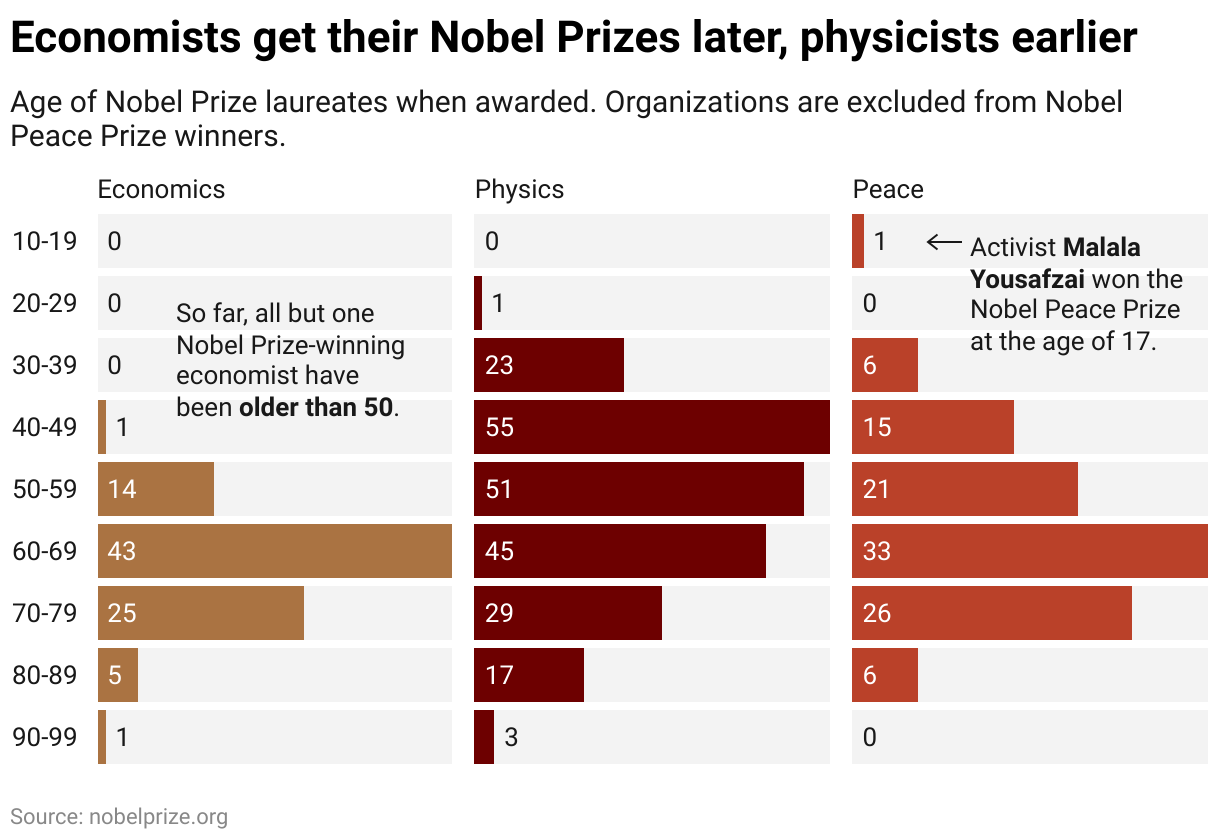
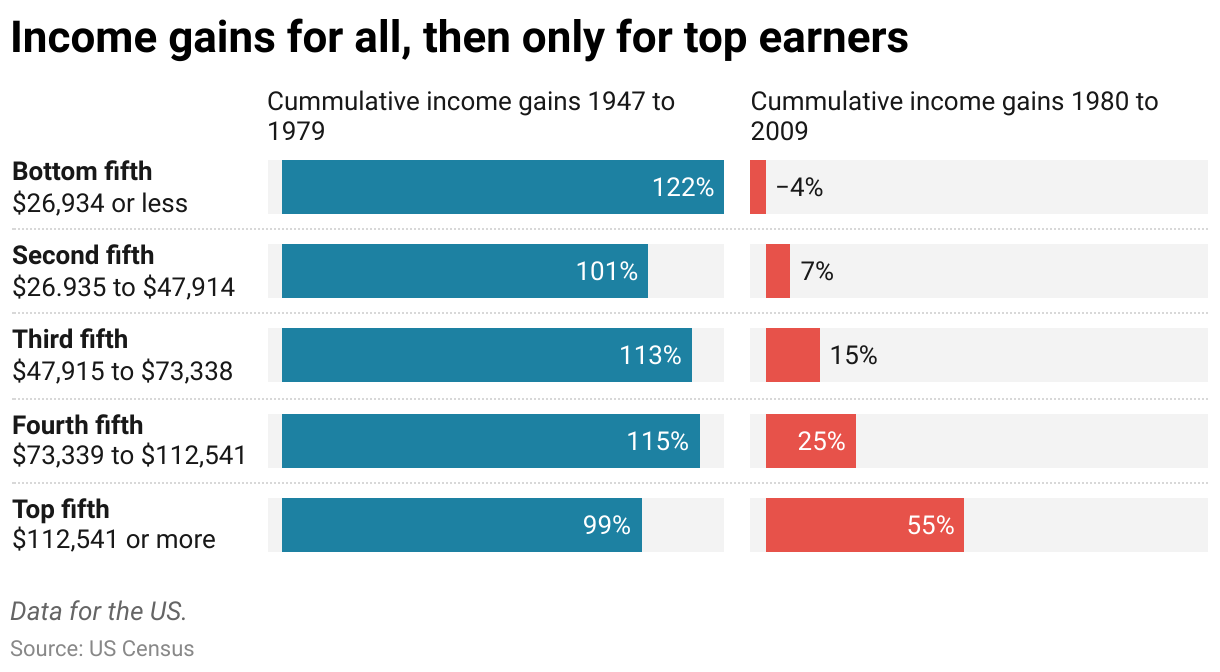
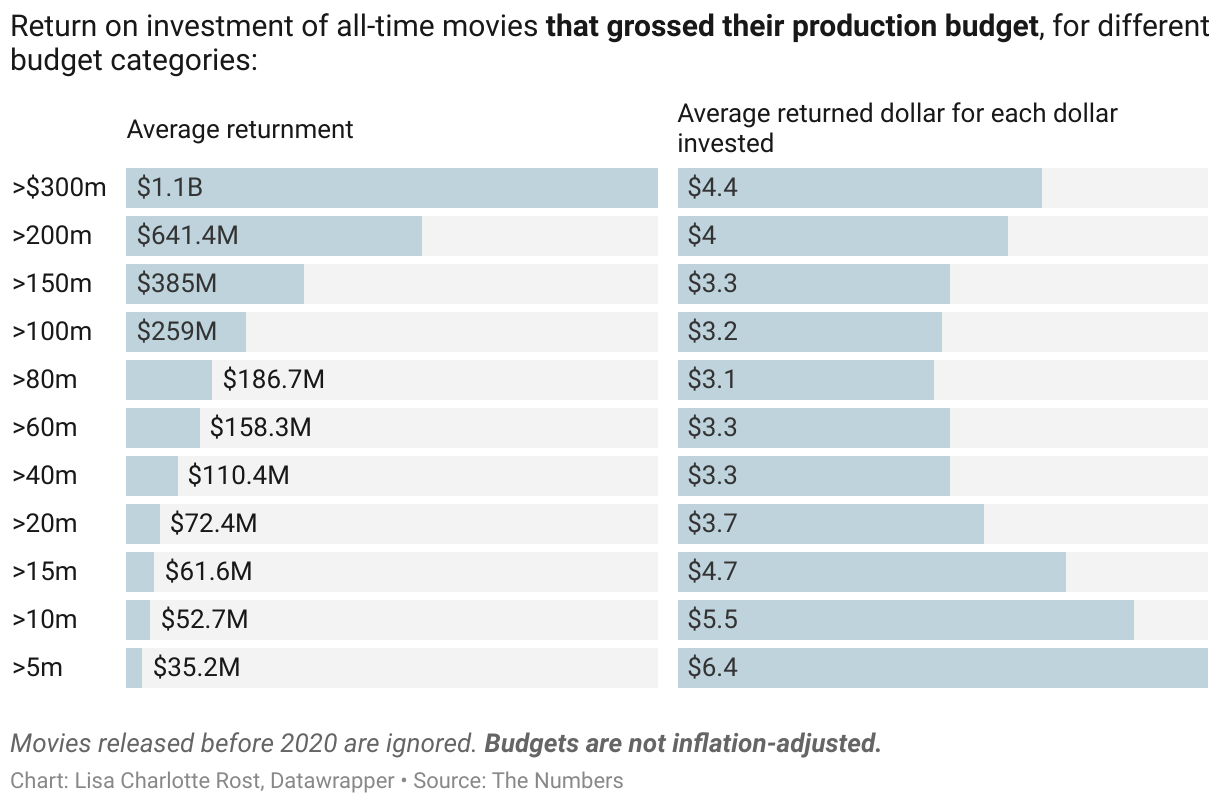
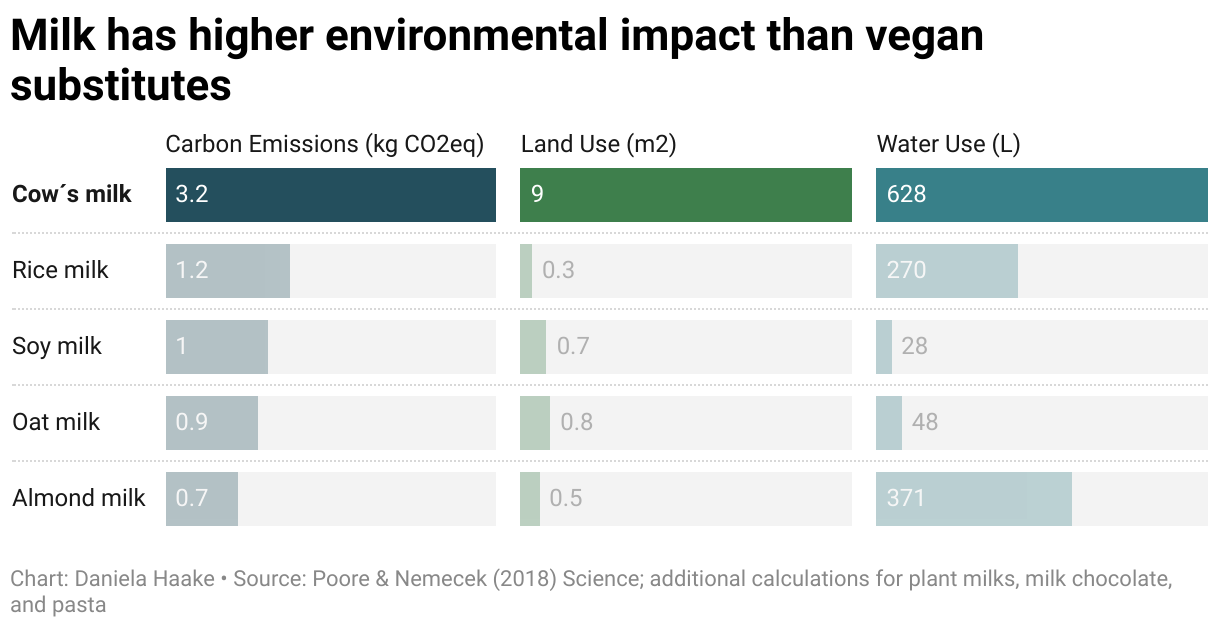

Split bar charts with mirrored bars
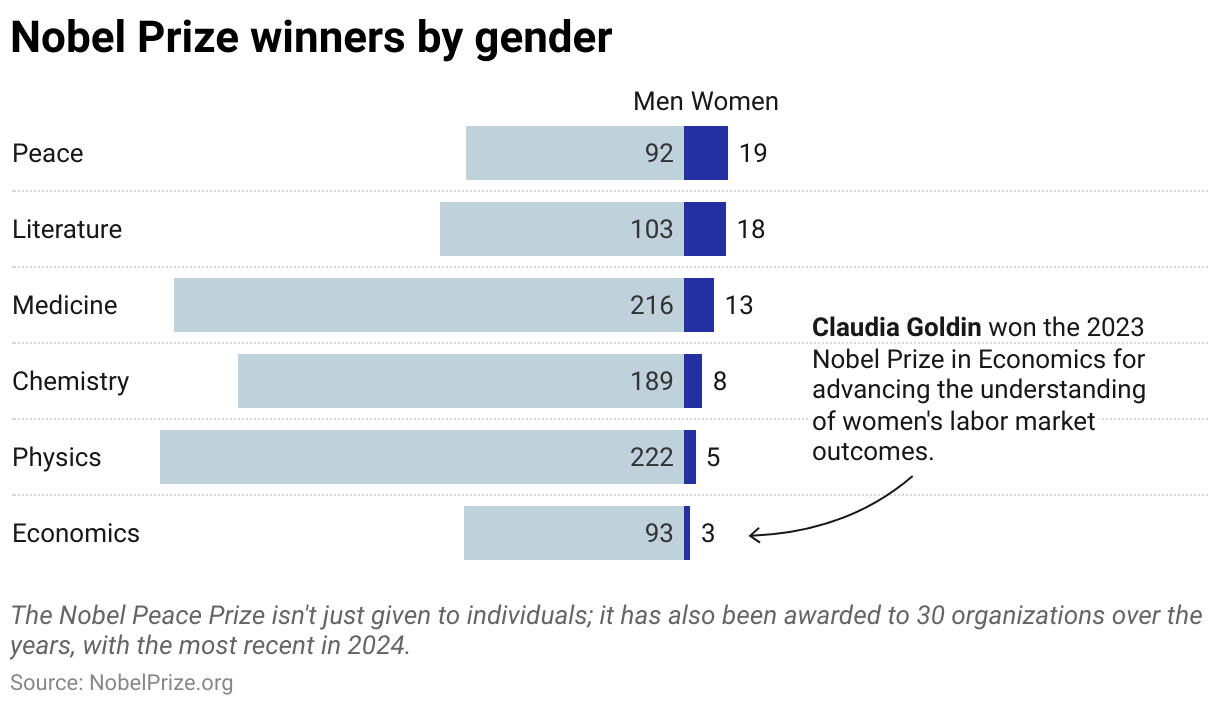
You can mirror the bars in a split bar chart with two columns, for example to create population pyramids.


Split bar charts with grouped bars
To learn more about how to group rows in split bar charts, read our article How to group bars in a bar chart.

