Julius Tröger, ZEIT Online, about animations, live dashboards, and scroll formats

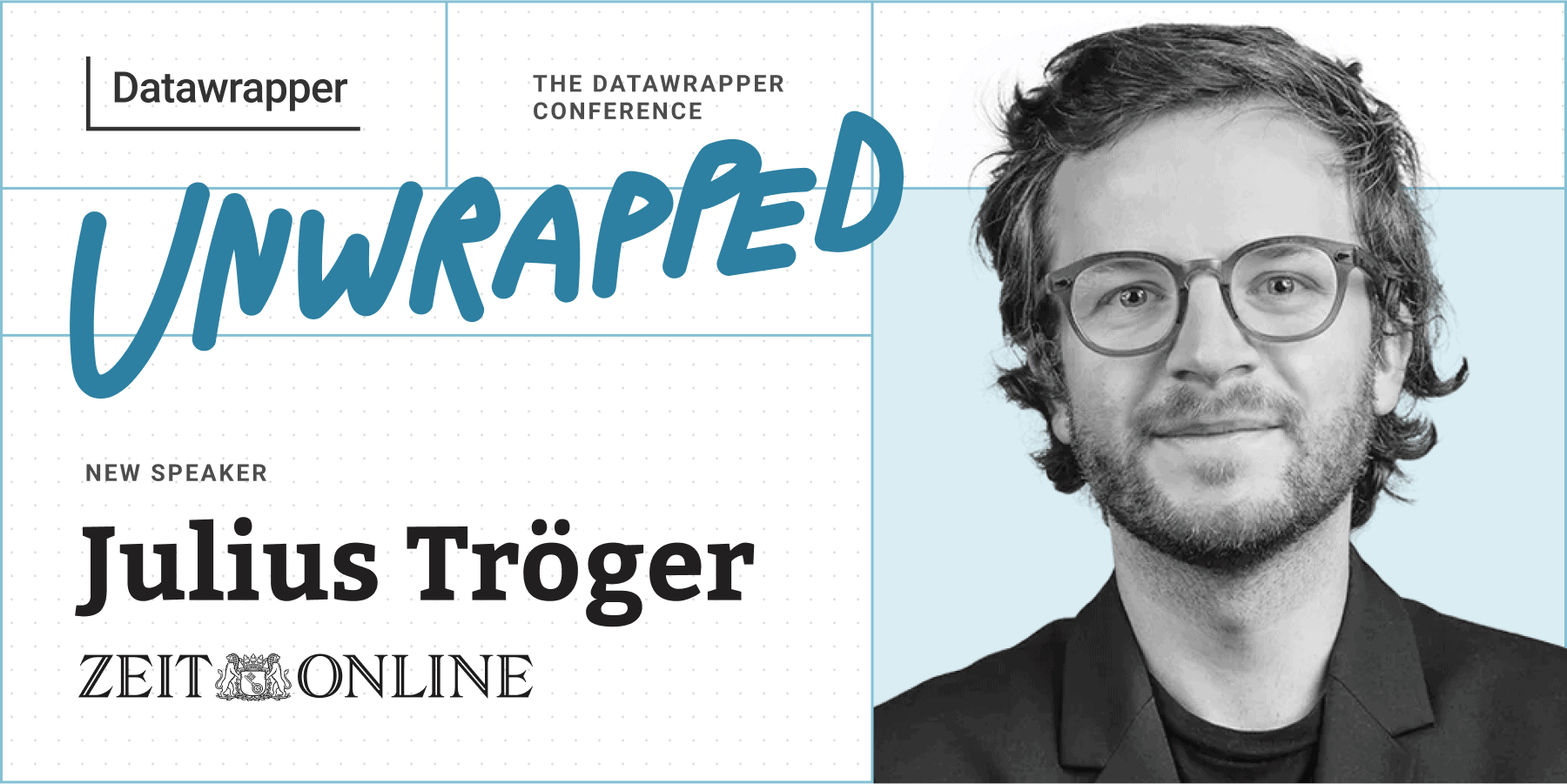
Julius Tröger from Zeit Online spoke at our Unwrapped conference about "How we ditched D3 and mostly used Datawrapper."
Julius leads Data and Visualization, an interdisciplinary team of data journalists, designers, and developers, at the German newsroom Zeit Online. His responsibilities include all data journalism projects, extending beyond graphics and interactive tools. When joining Zeit Online in 2018, he brought expertise from his previous role as head of the interactive team at Berliner Morgenpost.
Watch his talk here:
02:00 – Stopping the madness
04:06 – Making charts beautiful
05:29 – Editing charts like text
07:30 – Small multiple charts with every chart (and map) type
09:21 – Switches & scrollytelling
10:20 – Creating one chart and personalizing it
15:41 – Animations with Datawrapper
18:39 – Q: Who creates graphics at ZEIT?
19:58 – Q: How did you figure it all out?
20:38 – Q: D3 vs Datawrapper?
22:09 – Q: Coding language for patching?
22:33 – Q: Are published charts stable?
22:53 – Q: Learning about all Datawrapper graphics?
23:41 – Q: Accessing viz.patch?
Full transcript
Introduction to graphics at ZEIT Online
[00:00:03] Julius Tröger: Thank you so much for having me. I'm going to talk about how we ditched D3 and mostly use Datawrapper. That kind of means: D3 is a charting library where you can do very special charts and we used a lot. But nowadays Datawrapper can do a lot of this stuff. But first of all, who's we?
We is these 10 people. We're 10 people working in an interdisciplinary team of journalists, developers, and designers for the German news outlet ZEIT Online. And our team is called Data and Visualization. And what we do is, we do a lot of data stories and visualizations. If you want to check it out, you can find all our work here behind this link.
Yeah, we do a lot of data analysis, as you can see here. We publish interactive tools, such as this calculator that tells you if you're middle class or not. That's one thing we do a lot. We do a personalization of charts. We do a lot of interactivity. And, since COVID, we, do a lot of dashboards, like this one. This is called our energy monitor, where you can get daily updates about energy mix or the status of wind turbine expansion in Germany, and you can find that information directly on our homepage, for example.
What we also do is very special stuff like this one. We experiment a lot with new visual formats. Like this piece about space debris, where we calculated hundreds of thousands of debris based on data by the European Space Agency.
Stopping the madness
[00:02:00] Julius Tröger: And the examples I just showed you, they look fantastic. But some times ago, our charts didn't, as you can see here. On the contrary, our basic charts looked really bad. Like this one: there were no labels, there was unnecessary interactivity, and there was no focus. Or for example, this one. There was a really long caption where you have to read one minute to get the idea of what's the chart about.
And I think it's not a good chart if you have to read first.
And we also had pie charts. And pie charts like this. So that's about the recommended daily food intake, but you can't see it. We really had to stop this madness. We decided that from now on, all our charts should have the same quality standards as our bigger pieces you saw before.
And most of the charts that were a little bit better than the ones you just saw were made with D3, the charting library to create special chart types, such as small multiples, animations, interactivity with search inputs and stuff like this, which wasn't possible with Datawrapper those days.
And we created, for example, we used D3 to create small multiple maps, like this, about the rent burden in German municipalities by income. Or like this, for example, animations about the development of corporate taxes in Germany. But the good thing is: all that can now be done with Datawrapper. And that's what I'm going to talk about in the following slides.
Making our charts beautiful
[00:04:06] Julius Tröger: But first of all, we had to make our charts beautiful. So, the first thing is we had to look at all the great charts from other outlets or the great charts we did, to have sort of an inspiration. And we had this Figma file here where we also created better color palettes for light and for dark mode. And it was a long process.
What you can see here is our old chart design. It's a lot going on with a lot of horizontal lines and different font types and sizes. And the new chart design is kind of subtle, but at first glance we changed a lot of details. We deleted all unnecessary lines. We had better spacing, font sizes, and overall we had a better visual hierarchy, with bigger headlines. And more subtle sources and notes.
So that every chart from now on is something we can directly put in the text, and don't have to create ones with D3 for ourselves.
Editing charts like text
[00:05:29] Julius Tröger: But we also started to treat charts the exact same way we treat texts at ZEIT Online. Every text at ZEIT Online has to be read by a minimum of two people.
So every chart now had to be edited in a four-eyes-minimum principle. What you can see here is a colleague asking: "Bügeln, please". We call it like this. It translates to "ironing". So that means someone has to edit a chart. And as you can see here, there are 24 answers in the thread here in Slack. And sometimes there's endless discussions about small things such as colors and labels, so that really every chart is worth publishing.
We also have our own Slack bot where we can see when someone publishes or edits a chart. Because everyone at ZEIT Online is allowed to publish charts. And not everyone does it. But there are maybe a dozen people who create charts. And we want to see what they're doing and maybe helping them along the way and edit those charts.
Yeah, so we had this new process and now we had great charts. Like this, we had beautiful charts. This one is about additional burden of energy costs by income group. We have also new stuff to put methodology in there. We can click the small arrow next to the source, where you can get more information, but you can't see it first, it doesn't distract you. Or this graphic about pension by gender. Now every chart we publish is edited and looks better than the ones you saw before.
Small multiple charts with every chart (and map) type
[00:07:30] Julius Tröger: But now they're still kind of normal charts. We wanted to do special things with them. For example, small multiples. So now, at Datawrapper, you have pie charts small multiples, and as a new feature, line charts small multiples. But, what we can do now is we can use every chart type from Datawrapper to create small multiples, and we can do it directly in our content management system, what you can see here. We can create embeds like this. But you can put it directly in the text, where other colleagues maybe write the text. So you put in the embed and you can put up to six Datawrapper links in there to have small multiples. And you can also tell it how many charts there should be next to each other on desktop or mobile.
And maybe on the top left: in case you were wondering, our CMS has an octopus as a logo, and even Kool Aid's eyes that are following the mouse pointer. I don't know why, but anyways.
What we have now is small multiples with Datawrapper. You can have three maps next to each other. On mobile, they are below each other. So, they're interactive and we have the headlines and the sublines directly in our embed and below that we can have these charts. We can put everything in there. Also bar charts and stuff like that. And it was a huge thing for us. So we don't have to code it for ourselves. We just use Datawrapper in our embed and we don't have to write one single line of code.
Switches & scrollytelling
[00:09:21] Julius Tröger: Something like this we also did with switches. We had different embeds like this. You can show several charts with switches. This one is about the distribution curve, or travel times to different kinds of hospitals in Germany.
And it's now even possible for us to create scrollies directly in our content management system.
Like this chart about flat prices in the biggest cities of Germany. And I show you the embed, how this works. You put in an embed that says like "scrolly starting now". After that, you can just put a Datawrapper chart if you want to show, and after that, you just put the text. And the good thing is, we can just put in our graphics in there, and our colleagues from other departments can write their text inside the content management system.
Creating one chart and personalizing it
[00:10:20] Julius Tröger: So that was the game changer for us. But still, something was missing about the personalization of charts. So what we have here is a chart about drought in Germany over time. And not only in Germany, but also in every county in Germany. Because personalization is something we use a lot inside online.
We want to answer the question, what does it really mean to me? And what you can see here is 400 different charts. But you have to create them first. And how we do this, is we use R and the library DatawrappR. I'm not going into details here because there's another talk, I think tomorrow, that covers this topic. But, basically, what it does is, we use the Datawrapper API and create several charts based on one template chart.
And this is how it looks like if you create charts, hundreds of them. That's how it looks like if you create those charts. That's way more easy than creating every chart for yourself. But also, it has kind of a downside because, if you maybe have a minor change in your data, or you want to change your chart style, you have to recreate all those charts again and again. And we once had, I think, 2,000 or 3,000 Datawrapper charts for every municipality in Germany. And it takes time if you want to change something. Or even if you're already online and you maybe have to fix an error and it takes 10 minutes to recreate all the charts. If there only was a better way to do it.
But yes, there is. There's something called patch.
It's an undocumented method. It's called patch, where you can change style and data of Datawrapper charts directly in the browser. Let me show you an example. What you can see here is the increasing and decreasing value of real estate in Germany. And you can choose different states from a dropdown. But we didn't create all the charts beforehand. It's only one Datawrapper chart. So you don't have to create them beforehand. And there's literally no loading time. It doesn't add to your data volume.
And this is how it's done: We use web components. That's the first thing. Because since one year, I think, you can embed Datawrapper charts without iframes, only with web components.
And that's important because you now can add things like a dropdown menu that can communicate with the code of Datawrapper.
We show you one example. We have a huge community at ZEIT Online, and someone... We created a chart, and he said, "Can you also add a search box to the bubble chart? At least on a cell phone, you can only tap on the outermost bubbles." And this was like seven months ago and we weren't able to do that. You have a scatterplot and there's a lots of dots in it. And you can search for one item only with your mouse, but yeah, on mobile it's hard.
But now the really nerdy answer is: We can do that with web components and the patch method. And I'll show you how it's working. This is the scatterplot. And now you can put in a city in there and it only highlights that city. This is a Datawrapper web component about the comparison of rents and salaries. And now we were able to personalize the data, what we normally do a lot. Which helps us a lot.
And this is how it works: Everything you do in the Datawrapper UI, in the Datawrapper tool, you can also see in the browser console. So if you tell Datawrapper, for example, here to have all bubbles in gray instead of the one from Leipzig in pink, you can see that in the console, it's called this metadata axes color.
And now in the code - let's have a look at the code - it takes the name of the city inside here in the dropdown menu. And we can patch this patch to the property. And so it's just these lines of codes to make the Datawrapper chart even more interactive. And imagine, you can also put a geocoder right next to a map where people can see the data from their municipality, for example.
Animations with Datawrapper
[00:15:41] Julius Tröger: But that's not all. You can also create animations, like this about the inflation in Europe, with Datawrapper.
Here, we didn't use the patch method. It was the old way: We created a lot of images beforehand. And then we stitched them together for the animation. That kind of worked. But imagine you have to create one for light mode, one for dark mode. And the labels weren't great on mobile. So it was not that perfect.
But it's way easier to do this with patch. For example, here. That's a world map of obesity data from 1990 till 2022. You can see here, each row is the country name, and each column is one year. So with the code, we can now embed this Datawrapper chart on our website, just change the column you just saw every second, and so we can create an animation. You can see it here, like before the metadata axis values, it gets the year and for every second, it changes the column where it gets its data from.
If I show the end result, one quick warning, I'm not a developer. So please don't ask me about the specifics, but if anyone is interested in this, I'll be happy to connect with one of my colleagues. Patching is still undocumented. It still has to be used with caution. But it's so great for us that we started working with it and have so much great results.
And I have to show you this. This is an animation directly in Datawrapper. It's perfect on mobile, in dark mode. It has crisp text SVG instead of video compression artifacts like before. And, wait for it, it's also interactive. So you have an animation of a Datawrapper chart and in the end, it's interactive.
So we definitely don't need D3 anymore for stuff like that. And, that's it. Thank you so much.
Q: Who creates graphics at ZEIT?
[00:18:39] Elliot Bentley (host): Thank you so much, Julius. Really interesting talk. Wild, the stuff that you're doing over there with Datawrapper. Things that us developers of the products couldn't even imagine when we were building it, perhaps. So let's get some questions then. Let's see. Patrick has a question about how ZEIT uses Datawrapper. He asks, does only your team create infographics for Datawrapper, or is it every journalist free to use it?
[00:19:14] Julius Tröger: Once we wanted to have every journalist to have Datawrapper training when they start a job in the onboarding process, but our company is growing and it wasn't possible anymore and there were too many people. But I think we have, on every department, we have one or two people who like to create chart themselves.
Most of the charts are by our team. But we have people, in other departments. And that's what I talked about, two years ago, they were able to publish it directly in their texts, but now we have this editing process, where we definitely go over the chart and make it a little bit more polished.
Q: How did you figure it all out?
[00:19:58] Elliot Bentley (host): Let's see, I think I may know the answer to this, but Jacque, if that's how you pronounce your name, asks: How did your team figure out how you could do this? What rabbit hole led you to this point?
[00:20:09] Julius Tröger: Someone gave us a tip that it is possible, and that if you have a look at the browser console, you can see stuff like this, and then we just hacked it. Yeah, but a lot of stuff I showed is in the Datawrapper API. And you can play around with it. And sometimes there's just an idea of what we want to do. And then we have a look at the specifics we want to do, and most of it can be done in the code.
Q: D3 vs Datawrapper?
[00:20:38] Elliot Bentley (host): Great. I have a question of my own. You say you've ditched D3 for Datawrapper. But surely there are still cases where there are visualization types that you just can't achieve with Datawrapper. Perhaps it's a Sankey or something that Datawrapper doesn't do. How do you find those boundaries? How do you make that decision?
[00:21:03] Julius Tröger: Absolutely. Also, one thing I just showed you is our dashboard, the energy monitor, which is directly on our homepage. It has really tiny charts, really special tiny charts, that would be maybe doable with Datawrapper, but it was easier for us to do them in D3. Like maybe if it's gonna really special small charts for the homepage, but we also have to look at the size of the JavaScript. So this is a minimum size that has to be loaded. But yeah, and as you mentioned, if it's not a kind of basic chart type.
We produce a lot of maps, we produce a lot of bar charts and line charts because I think it's our readers are used to them and can read them. But we want to make them special. But for charts like Sankey's or stuff like that, yeah, we still have to use D3.
Q: Coding language for patching?
[00:22:09] Elliot Bentley (host): Cool. We have a few practical questions about practical implementation. Patricia asks, what coding language do you use for the patching method and how can I get started?
[00:22:21] Julius Tröger: What we use is React. We might want to switch to Svelte. But yeah, it's in JavaScript.
Q: Are published charts stable?
[00:22:33] Elliot Bentley (host): And Niko asks: if Datawrapper changes something, will old charts change or are they stable?
[00:22:42] Julius Tröger: They are stable. You can't republish it. So if the chart is published, it still works. Even if Datawrapper changes something,
Q: Learning about all Datawrapper graphics?
[00:22:53] Elliot Bentley (host): Stefan asks: Do you have a funnel that brings all journalist created Datawrapper graphics to your consciousness?
[00:23:04] Julius Tröger: Yes. We have a Slackbot if I get this question. Yeah. We have a Slack bot that shows us if a chart is edited or published. So we can see who publishes it and if we can help them.
So yeah, but that's really important. And we can also see that today there's a lot going on, we might work a little bit more with our colleagues to help them with their charts. Sometimes the Slackbot is empty. Yeah.
Q: Accessing viz.patch?
[00:23:41] Elliot Bentley (host): Let's see. Pria asks: how does one access viz.patch? Are you willing to share your secret sauce with us yet?
[00:23:51] Julius Tröger: As I've said, I'm not a developer. I don't actually know.
[00:24:00] Elliot Bentley (host): Okay, I think that's all the questions that I see in the chat. Any last minute questions coming in? Otherwise, we'll move on to our next speaker. Thank you so much, Julius, for being here.
We asked Julius a few questions before his talk:
Hi Julius! What will you talk about at Unwrapped?
A few years ago, we used to code even basic charts from scratch. But we learned that Datawrapper offers many features and workarounds for creating not just simple charts but also animations, live dashboards, and scroll formats. I'll demonstrate how we utilize these at Zeit Online to enhance our storytelling and data presentation.
How do you use Datawrapper at Zeit Online?
We leverage Datawrapper daily to create charts of news, like the latest polls in Germany, or locator maps of breaking events, like the ship collision in the North Sea. Charts like this are created not only by my team, but also by colleagues from different departments like the economics, politics, or science desks.
On the other hand, we make extensive use of the Datawrapper API and the DatawrappR package. Thanks to them, we can
- automatically update our daily updated energy monitor
- create scrollytelling features, e.g., about housing prices in Germany
- create personalized charts, e.g., to let readers see the rent price trend in their city
We can also create animations, like this map of changing inflation rates in Europe, and even build small multiples, like about the war in Gaza:

How has data visualization at Zeit developed since you started using Datawrapper?
In the earlier days, everyone at Zeit Online could put Datawrapper charts they created in their articles, resulting in a wide range of quality in the charts we put out. Now we have a process in place: Our team edits every single chart before publishing. This way, we can ensure high standards. We now treat charts with the same care as texts, applying a four-eye principle and involving our proofreading team. With a dedicated Slack channel, we monitor chart creation and editing and support our chart-creating coworkers.
D3 is a charting library where you can create very special charts, and we used it a lot. But nowadays, Datawrapper can do a lot of this stuff. Julius Tröger, ZEIT Online, in minute 0:11 of his talk at Unwrapped 2024
What's your guiding principle when working on data visualizations?
Even as nerds, we strive to create charts that are as unnerdy and nontechnical as possible. Our focus is primarily on line charts, bar charts, and maps. (We create a lot of maps at Zeit Online!)
We also aim for personalization in our charts, addressing the reader's question: "What does this mean for me?" (By the way, since I’m here: it would be awesome to have search features in maps and scatter plots, similar to those available for tables in Datawrapper.)
Noted :) Last question: What's your favorite Datawrapper feature?
The ease of annotating charts and maps in Datawrapper is fascinating. Every chart should be self-explanatory, addressing questions that arise at specific data points and eliminating the need for supplementary text. Datawrapper’s editor makes that really easy.
We loved Julius' talk at Unwrapped! You can find him on X, LinkedIn, and Bluesky, and see more of his work at his Zeit Online page.
To find out more about Unwrapped and hear other great speakers, visit our blog.