Introducing new Pro & Business plans

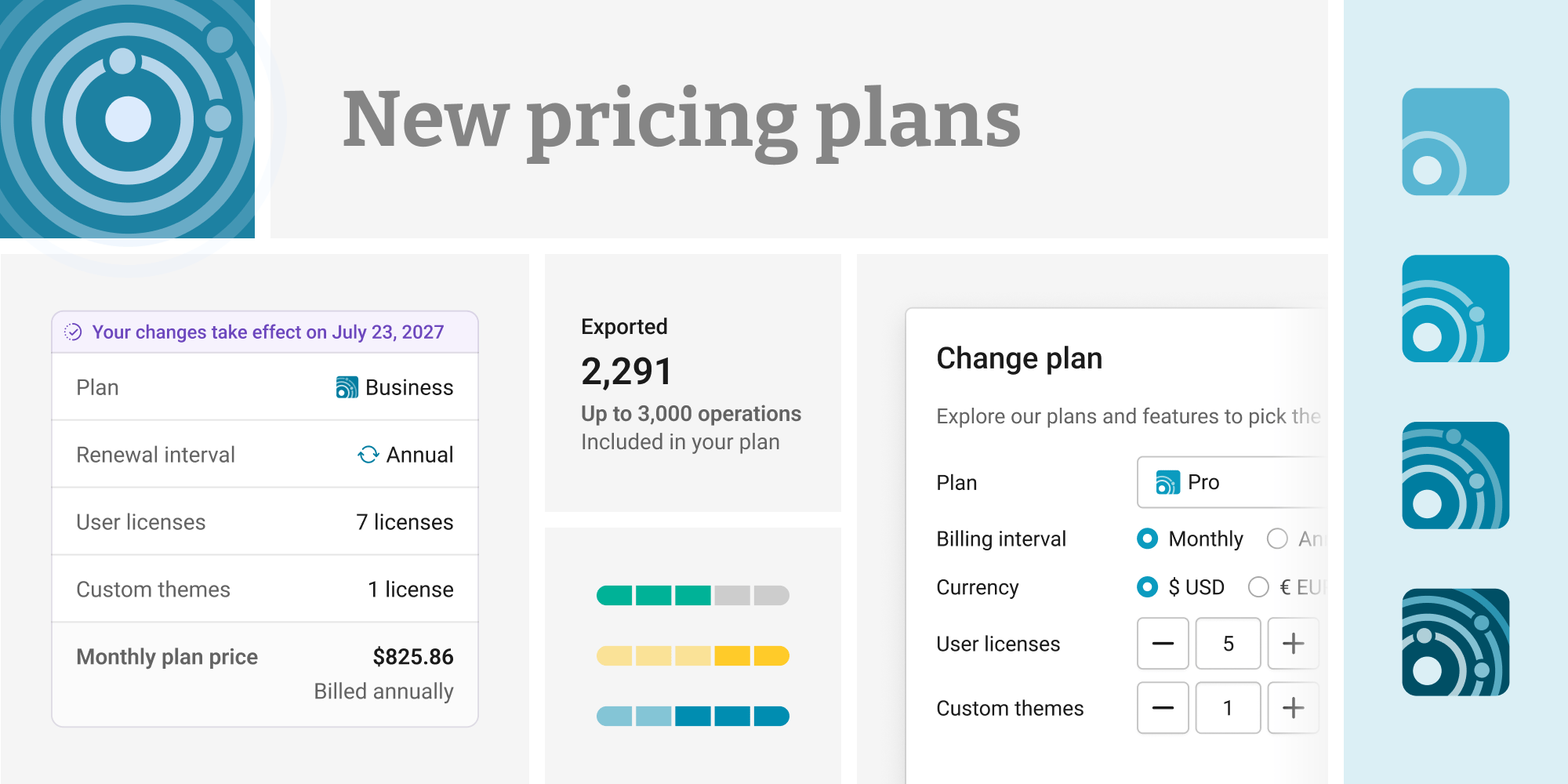
Today, Datawrapper launches new pricing plans, including the Business plan with support for two new visualization types. You can learn more about these updates here.
For more information about the new visualization types, take a look at these announcement articles for waterfall charts and dual-axis charts.
For a full view of our new pricing options, check our pricing page. For questions about your workspace’s subscription, look at our FAQ at the bottom of this article, your billing settings, or reach out to our support team.
Datawrapper was born out of a frustration shared by journalists everywhere: why was there no simple tool to create correct, embeddable charts at the speed a newsroom demands, without compromising on quality? Deadlines don’t wait, but neither should accuracy or design. And it turned out that this problem wasn’t unique to journalism.
Today, Datawrapper is used far beyond the newsrooms it was originally made for. Government statistical offices publish official figures with it. Financial institutions, consultancies, research teams, and companies of every size use it to turn numbers into visualizations people can understand at a glance. What unites them is a mission: creating high-quality, correct data visualizations quickly, staying fully on-brand, and never cutting corners on data visualization best practices.
But while the mission is shared, the workflows aren’t. A newsroom has to communicate with absolute clarity to a broad general public. A business often speaks to a more specialized, informed audience: colleagues, clients, analysts, stakeholders who already know the domain. Different audiences call for different tools. Today, we are launching a set of new plans and visualization features to support that.
Introducing new pricing plans
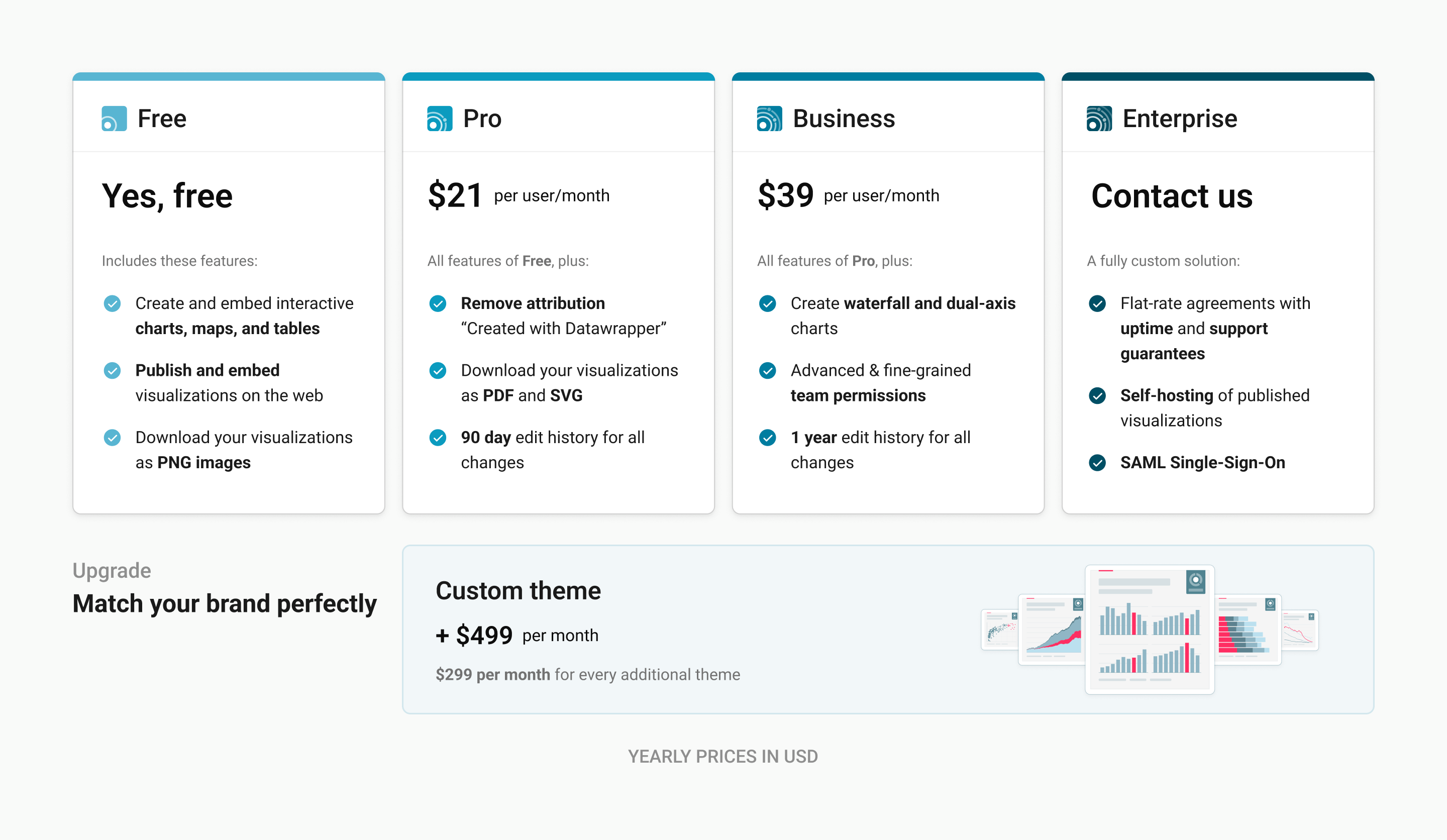
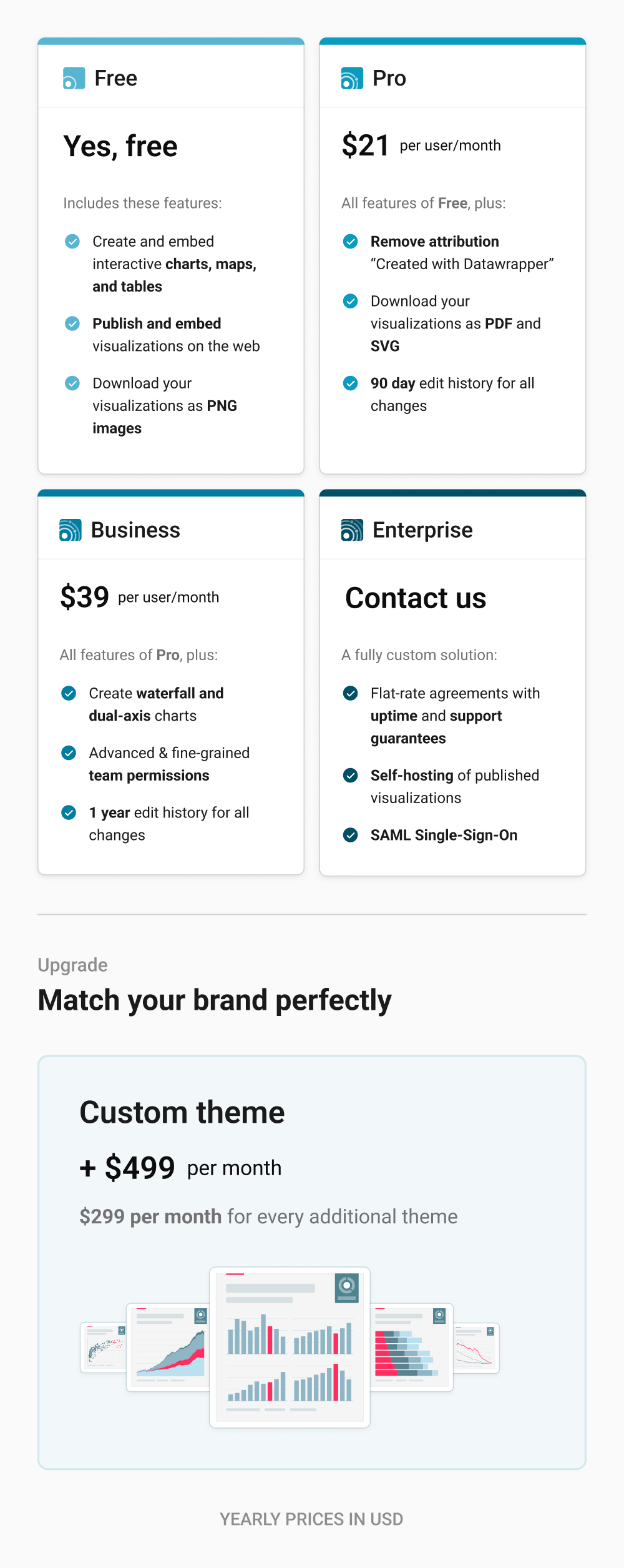
Until now, we’ve paired an extensive free plan with paid plans built for organizations, starting at 10 user accounts. Our free plan will stay just as powerful as ever. In addition to that, we are introducing new pricing plans that make Datawrapper a better fit for more people and teams:
1. Paid plans for teams of any size. Our new Pro plan begins at $21 per user / month and scales one seat at a time. It includes everything in Free, plus PDF and SVG downloads, removal of the “Created with Datawrapper” attribution, and 90-day edit history.
2. A new Business plan, designed around the needs of our business customers. This new plan includes completely new features, built specifically for businesses using Datawrapper: waterfall and dual-axis charts for financial visualizations, more fine-grained permissions for better access control, and a full year of edit history for all changes made.
3. Flexible API pricing. Datawrapper’s REST API is a powerful way to automate creating your visualizations. It’s used for dashboards, recurring reports, and increasingly by AI agents. Starting October 1st, we will introduce flexible usage-based billing, so you only pay for the operations you actually need – with a free tier included for every workspace.
A closer look at the Business plan
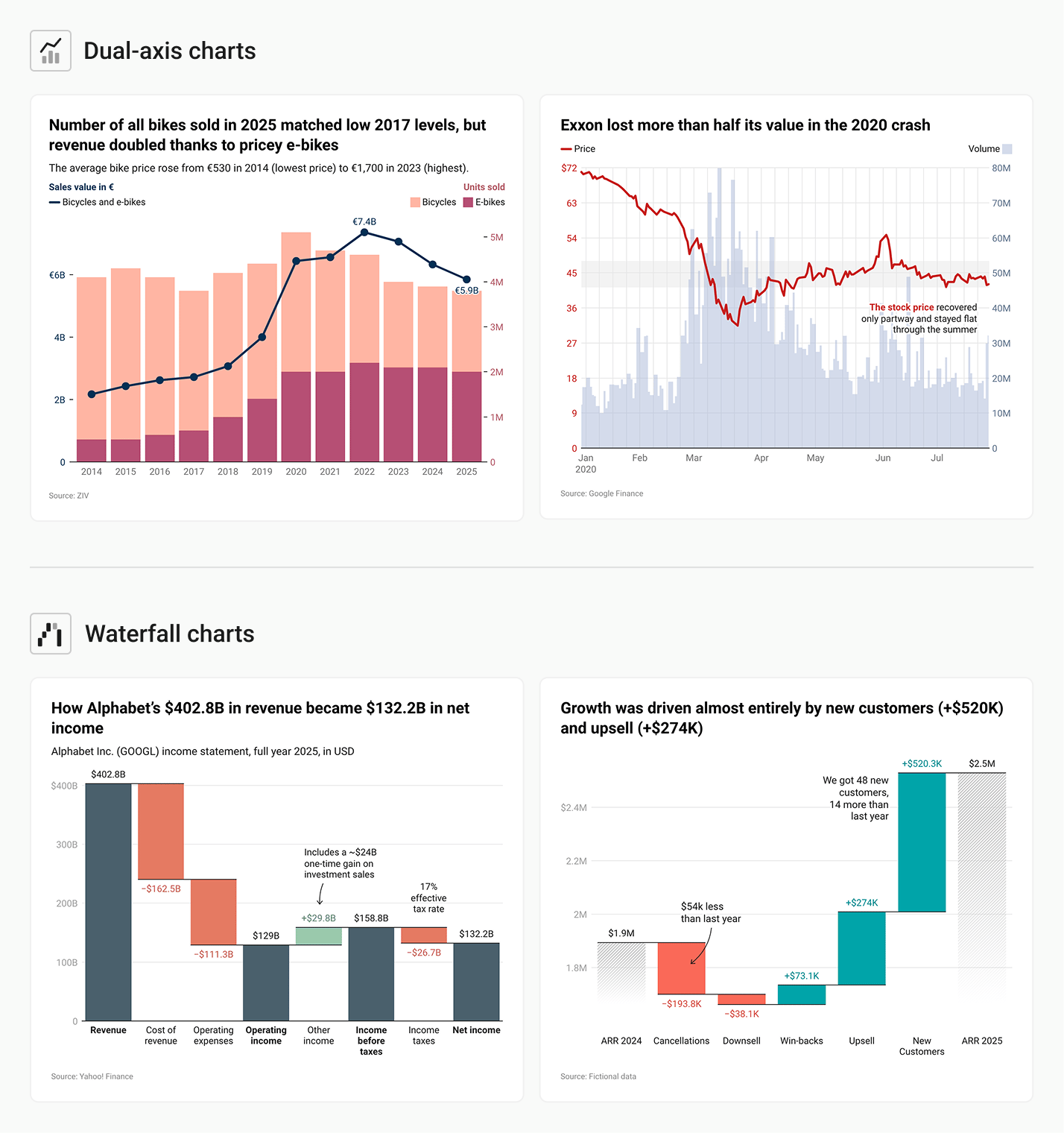
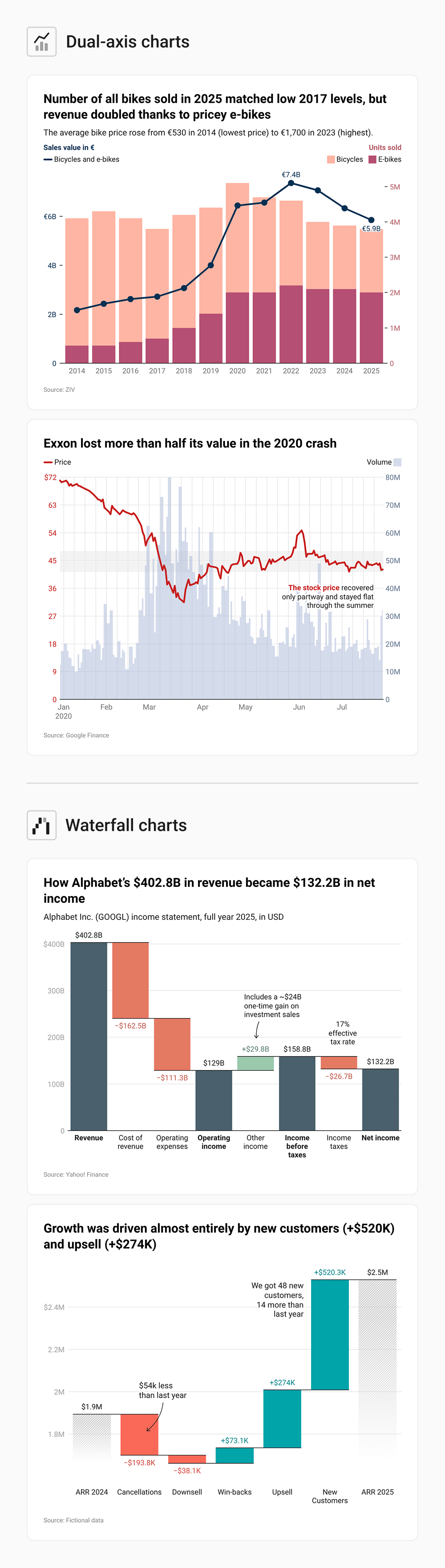
Two new chart types come with the Business plan, both chosen because they answer questions business audiences ask constantly:
- Waterfall charts: Waterfall charts show how a starting value becomes a final value through a series of increases and decreases. They’re the natural way to present a revenue-to-profit bridge, a budget breakdown, a variance analysis, or any “how did we get from A to B” story where each step matters. Learn more about waterfall charts in the announcement post.
- Dual-axis charts: They let you plot two related series with different scales on the same chart: revenue against units sold, a total against a percentage, price against volume. We’ve long been cautious about dual-axis charts, because in the wrong hands they can mislead a general audience. But for the more specialized audiences business teams present to, they can be exactly the right tool: and we’ve designed ours to keep the comparison honest. Learn more about dual-axis charts in the announcement post.
In addition to new visualizations, the Business plan gives you full control over who views, edits, and publishes your visualizations. With new, fine-grained permissions, you can control who in your team is able to access, edit, or publish specific visualizations and features across your workspace.
FAQ
I have an existing subscription. What happens to it?
If you have an existing subscription, you can continue using it at the same price and with the same features as before. Our new plans apply immediately for newly started subscriptions, and if you wish, you can switch to a new plan at any time in the new Billing & Plan settings.
How can I change my plan?
To change your plan, visit your Billing & Plan settings and click on Change plan. Note that you can only do so as a workspace admin.
How does the new API billing work?
With our flexible, usage-based billing model, every workspace can create up to 500 visualizations per month, publish up to 1,000 times per month, and export up to 3,000 times per month, completely for free.
For usage beyond that, you can purchase API credits for your workspace, which cover any additional use. At the beginning of each month, your free tier resets and can be used again.
API billing will become effective on October 1st, 2026. Customers with existing subscriptions can continue to use the API as part of their plan as before.
(Note that these limits only count API usage. You can create, publish, and export as often as you wish using the Datawrapper app.)
How do I manage my workspace’s user licenses?
You can add or remove users at any time on your workspace’s members page. To add or remove user licenses, or make any changes to your plan, use your billing settings. Learn more about managing user licenses in Datawrapper Academy.
How can I contact support?
If you have any questions about these changes or your account, please get in touch with us at support@datawrapper.de.
Thanks to everyone who worked on designing and implementing the new pricing plans: Julian Freyberg, Linus Aarnio, Gustav Neustadt, Alicia Madlangbayan, and David Wendler.
We hope these updates make Datawrapper more powerful and accessible for everyone. If there are any questions, please don’t hesitate to reach out to our team at support@datawrapper.de.


