Adding line & arrow markers
Here's how to add line and arrow markers to a locator map with the Datawrapper API, and how to define their geometry and styling. Arrow makers always have a start and end; they consist of two coordinates (but can be curved, as we'll later see). Line markers can connect more than two coordinates on your map with a visible path.
Creating and styling line markers
Here's an example for defining a line marker:
curl --request PUT \
     --url https://api.datawrapper.de/v3/charts/<ID>/data \
     --header 'Authorization: Bearer <YOUR_TOKEN_HERE>' \
     --header 'content-type: application/json' \
     --data '{
    "markers": [
        {
            "id":"m1",
            "title": "Line Marker",
            "type":"line",
            "visibility": {
                "enabled": true
            },
            "properties":{
                "stroke":"red",
                "stroke-width":3,
                "stroke-opacity":1
            },
            "feature": {
                "type":"Feature",
                "properties":[],
                "geometry": {
                    "type": "LineString",
                    "coordinates": [
                        [-74.006, 40.7128],
                        [-80.2994982, 25.7823907]
                    ]
                }
            }
        }
    ]
}'
This dataset adds a simple line marker that connects two coordinates: in this case, it displays a straight line from New York to Miami:
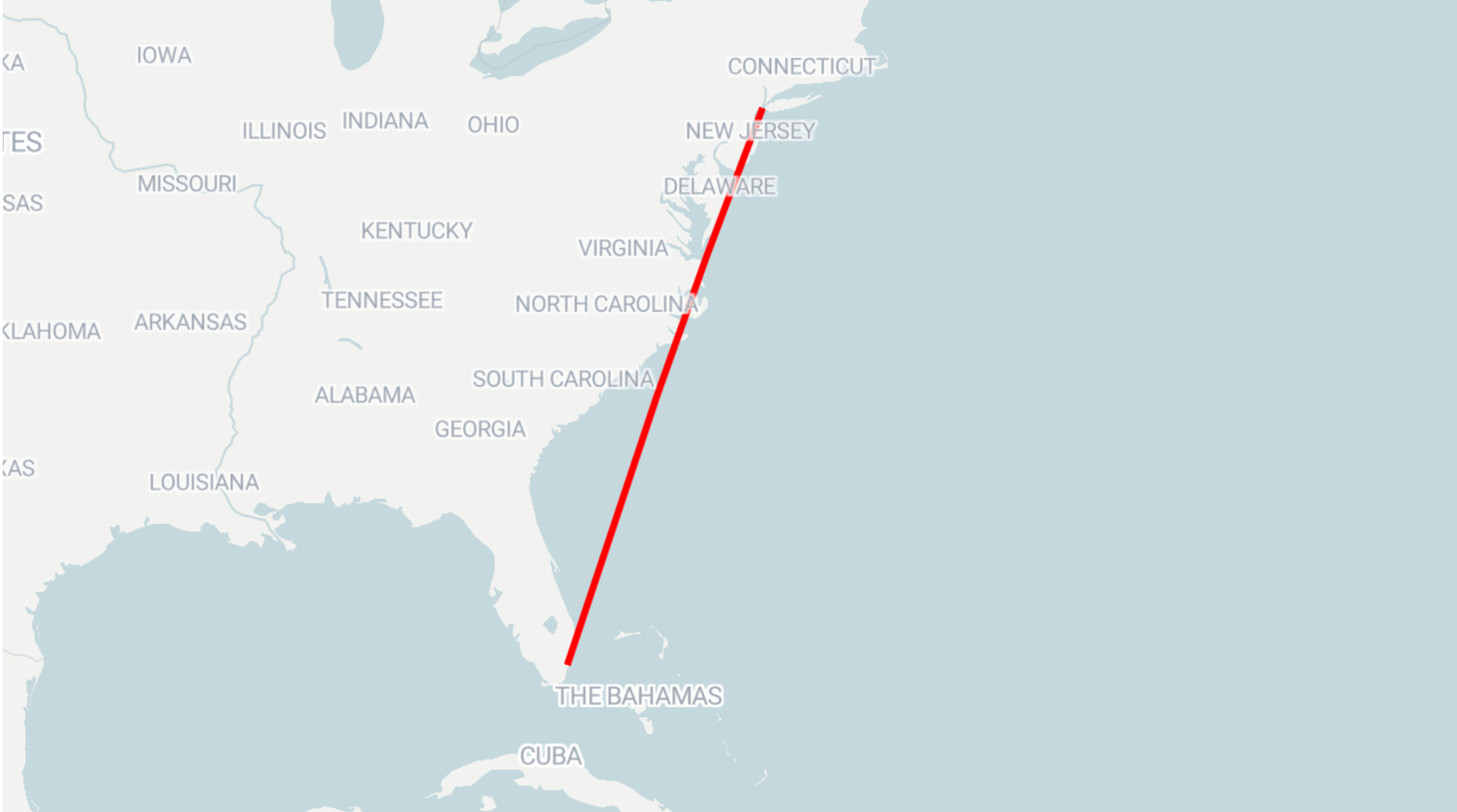
The line geometry itself is included in the feature property. Apart from that, you can control other properties that affect the display of the resulting map. The properties are similar to the ones configurable for area markers.
Creating and styling arrow markers
Here's an example for defining an arrow marker:
curl --request PUT \
     --url https://api.datawrapper.de/v3/charts/<ID>/data \
     --header 'Authorization: Bearer <YOUR_TOKEN_HERE>' \
     --header 'content-type: application/json' \
     --data '{
    "markers": [
        {
            "title": "Arrow Marker",
            "type": "arrow",
            "coordinates": {
                "tip": [10, 20],
                "tail": [-20, 20]
            },
            "color": "red",
            "opacity": 1,
            "gradient": true,
            "arrowType": "flow",
            "head": "triangle",
            "lineWeight": 2,
            "flowWeight": 14,
            "taper": {
                "direction": "tail",
                "tailStrength": 0.9,
                "headStrength": 1.5
            },
            "curve": {
                "angle": -90,
                "offset": 0.5
            },
            "visibility": {
                "enabled": true
            }
        }
    ]
}'
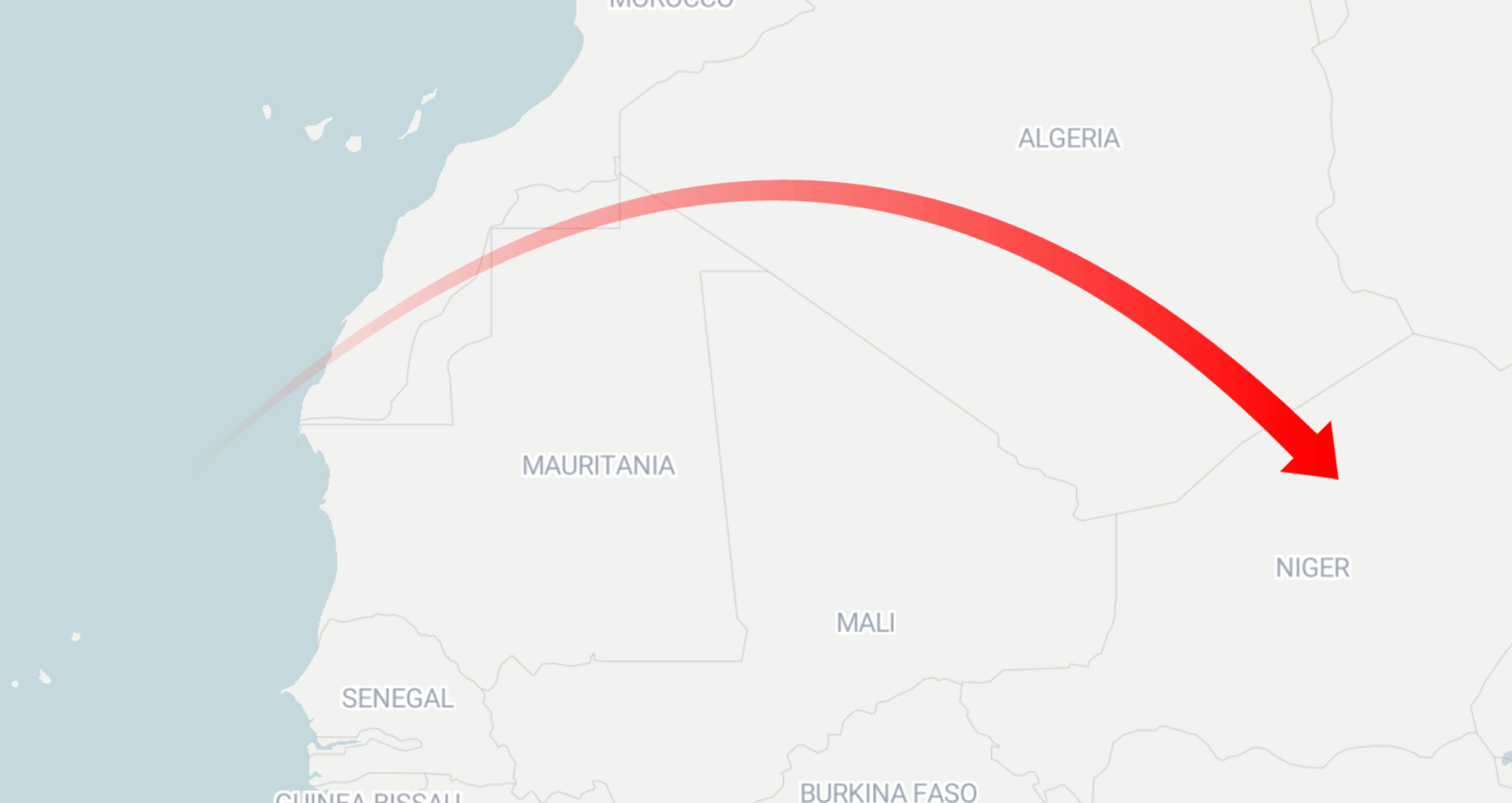
This dataset creates a red, curved flow marker in Africa:
Arrow marker properties
Arrow markers have the following styling properties. Not all of them apply to every arrow type:
Only for flow arrows (
arrowType: "flow"), you can define thegradient,flowWeight,taper.directionand thetaper.headStrengthandtaper.tailStrength.Only for line arrows (
arrowType: "line"), you can defineheadandbidirectional.
Property | Type | Description |
|---|---|---|
| String | Defines if the marker is a point, area, line or arrow marker. |
| String | Marker title displayed in the marker list in the editor. |
| Array of numbers | Coordinates of the tip of the arrow head. |
| Array of numbers | Coordinates of the tail of the arrow. |
| String | Color of the arrow. Default: |
| Number | Opacity of the arrow, number from 0-1. Default: |
| String | Defines the shape of the arrow. Can be “line” or “flow”. Default: “line”. |
| Boolean | Defines if a flow arrow should fade from transparent at the tail to solid at the tip. Default: |
| String | Defines the shape of the arrow head. Can be “triangle” or “lines” for line arrows, but only "triangle" for flow arrows. Default: “lines” for line arrows, “triangle” for flow arrows. |
| Boolean | When |
| String | Defines the arrow thickness for line arrows. Can be "style0" (2px), "style1" (3px), "style2" (4px), "style3" (5px). Default: "style0". |
| Number | Defines the arrow thickness for flow arrows. Can be a number between 1 and 50. Default: |
| String | Point at which the arrow shaft should be more narrow. Can be “head” or “tail”. Default: “tail”. |
| Number | The amount of tapering when |
| Number | The amount of tapering when |
| Number | Determines how much the arrow curves. Can be a number between -180 and 180. Default: |
| Number | Determines the point on the arrow at which the curve reaches its highest point. Can be a number between -2 and 2. Default: |
| Boolean | When |