How to delete a workspace
To delete a workspace, you need to be a workspace admin. If you are a workspace manager or a member, you won't be able to delete the workspace.
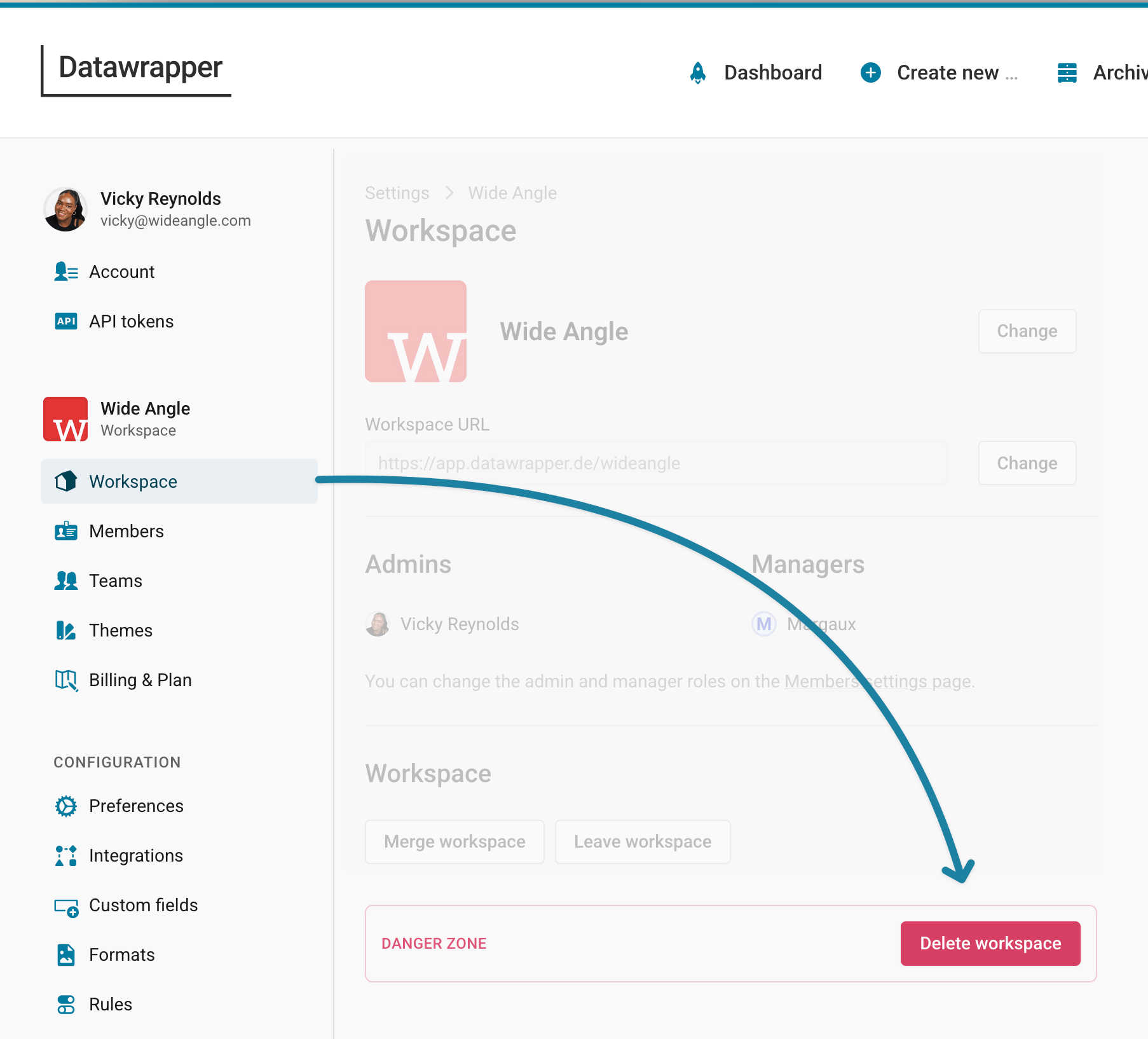
Go to the Workspace section in your Workspace settings and click Delete workspace.
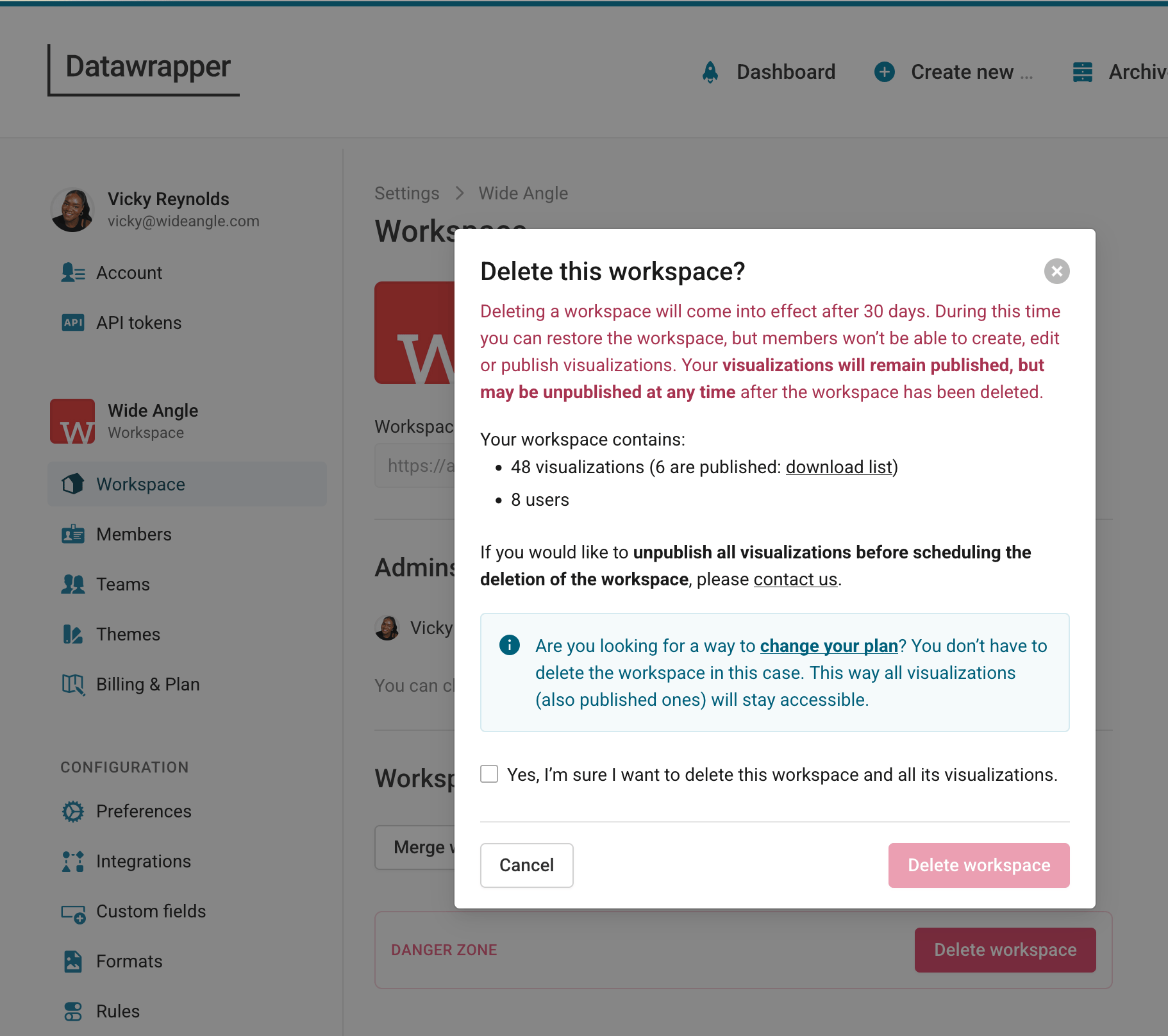
In the box that opens, click Delete workspace if you're sure you want to delete the workspace.
And that's it! You successfully deleted your workspace.
Frequently Asked Questions
Who can delete a workspace?
Only workspace admins can delete workspaces. If you are a workspace manager or a member, you won't be able to delete the workspace.
What happens to the visualizations in my workspace?
After you delete a workspace, you and your workspace members won't be able to see, edit, publish or unpublish existing visualizations anymore, no matter if they're already published or still unpublished. All visualizations in your workspace will be removed from the Archive. You and any other workspace members also won't be able to create new visualizations in that workspace anymore.
After 30 days, all unpublished visualizations will be deleted.
Your published visualizations will remain published even after the 30 days – so you will still see them working nicely in places where you embedded them – but we're not making promises that this will stay this way. They may stop working at some point in the future.
If you change your mind, you or any other workspace admin can restore the workspace within 30 days and get all your visualizations back.
What happens to the private visualizations of my workspace members?
The private visualizations of the members of the deleted workspace will be deleted, too.
Please inform your workspace members that you are planning to delete a workspace and give them enough time to move their (private) visualizations to another workspace.
What happens to the teams in my workspace?
Once you delete a workspace, all workspace teams will be gone immediately. Workspace members immediately won’t see any of those workspace teams in the Archive anymore.
You can bring your workspace teams back by restoring the workspace within 30 days of deleting it.
Who can restore a workspace?
You or any other workspace admin can restore the workspace within 30 days after deleting it.